How can I update my Credit Card Details?
If you have been notified that you Credit Card is about to expire - you can add a new card or update your new details by doing the following:
Login in to your account by going to Client Area - once there, click on the dropdown menu in top right beside where it says: 'Hello John' (under your own name). There you will see the link 'Payment Methods'.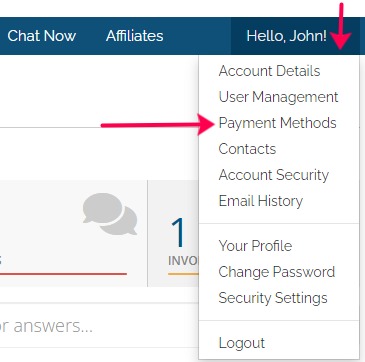
From there you can either enter your new card details or update existing card details then save. I if change cards or use more than 1 card, be sure to set the DEFAULT card to be used by our system and your done!
Easy as that!
