How to Lock/Unlock my domain name?
PLEASE NOTE: THIS IS FOR THE OLD PORTAL
Locking your domain is done from your Domain Control Panel here. Go to ACCOUNT MANAGER then select DOMAIN MANAGER and log into your control panel. Your login details would have been sent to you when you first purchased your Domain Name through VMA.
On the panel on the left hand side you will see DOMAIN NAMES - select MANAGE DOMAINS then select the domain you wish to manage.
See DOMAIN DETAILS >> Lock/Unlock and select lock.
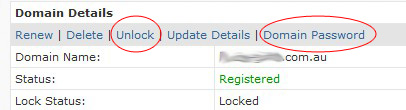
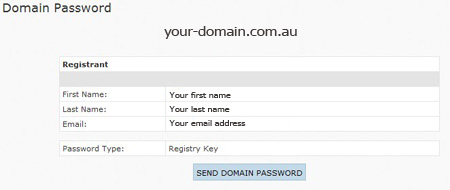
To initiate a transfer - you must first Unlock your domain by following the above details. You will also need your Domain Registry Key - this can be located near the lock/unlock buttons.
To Transfer to the new portal - go here.